
Accepting orders
Order and recipient data are ready for immediate dispatch. Therefore, you do not need to enter this information again.
Connect Billbee with Paket International and simplify your shipping. Orders are imported directly from Billbee. You can also select suitable services, use rules, and create labels. Tracking data is then sent back to Billbee, ensuring clear and organized shipping even with a high volume of orders.
Billbee consolidates orders from multiple shops and marketplaces. This is precisely where the Billbee shipping integration from Paket International comes in. This allows order data to be used directly for shipping, eliminating the need for manual re-entry.
You can also define shipping rules. Labels can then be created and tracking data sent back to Billbee. This creates a clear process from order placement to tracking.
With this integration, you no longer need to maintain the same data in multiple systems. Instead, ordering and shipping are directly integrated. This saves you time and avoids duplicate data entry.
Order and recipient data are ready for immediate dispatch. Therefore, you do not need to enter this information again.
Rules help in choosing a carrier and service. This way, not every order has to be checked individually.
Labels can be created directly from the existing data. This also speeds up shipping.
Tracking numbers are reassigned to the corresponding order. This ensures the order status remains visible in Billbee.
The following screenshots show key steps between Billbee and Paket International. Each screenshot can be opened in a larger view if needed.

Billbee collects orders from connected shops and marketplaces. This order data can then be used directly for shipping, eliminating a large portion of manual data entry.
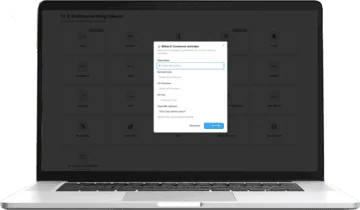
The systems are connected. Orders can then be sent directly to shipping.

Rules can simplify the choice of carrier and service. Furthermore, they make shipping more standardized.

Orders remain centrally visible. At the same time, the shipping data can continue to be used directly.

After shipment, tracking data is assigned to the order. This ensures that the shipment status remains clear.
Billbee excels when orders from multiple shops and marketplaces converge. With Paket International, this results in a unified shipping process, eliminating the need to manage each channel separately.
Orders from different shops can be managed centrally in Billbee. They are then immediately ready for shipping.
Orders from marketplaces can also be integrated into the same shipping process. This ensures a consistent process.
Carriers, labels, and tracking don't need to be handled separately for each channel. This also saves you time in your daily operations.
Rules make many decisions in shipping easier. This allows the appropriate service to be chosen more quickly.
Depending on the destination, different carriers or services can be used. This keeps shipping flexible.
Weight and package data can determine which service is used. This allows the selection to be better suited to the shipment.
The value of the goods can also influence the choice of service. Furthermore, rules can be controlled more precisely this way.
Depending on the order, certain carriers can be preferred or excluded. This keeps the selection clear.
When time is of the essence, suitable express services can be selected. This saves you time with important shipments.
If there's no rush, cheaper standard services can be used. This makes it easier to keep track of shipping costs.
First, Billbee is connected to Paket International. After that, the necessary order data is immediately available.
New orders can be processed directly for shipping. Therefore, a second entry is not required.
Next, the carrier and service are selected. The shipping label can then be created from the available data.
After shipment, tracking data is sent back to Billbee. This keeps the order status up to date.
You don't have to limit your shipping to a single carrier. Instead, you can use different services to suit your order. This way, you remain flexible.
DHL Express is suitable for fast shipments. Therefore, the service is well-suited for short transit times.
UPS offers various parcel and express services. This allows you to choose the right one depending on your destination and order.
FedEx complements multi-carrier shipping with affordable and fast services. It also gives you more choice.
New customers can test Billbee for 90 days via Paket International. This provides ample time to review orders, rules, and everyday shipping practices.
With more orders, every duplicate entry takes more time. Therefore, it's worthwhile to combine recurring steps directly. This also makes shipping simpler and faster.
| Area | Manual process | With Billbee integration |
|---|---|---|
| Orders | Retransmit data | Order data directly transferred |
| Carrier | Check and select individually | Compare services centrally and use rules |
| Labels | create in carrier portals | generate from existing order data |
| Tracking | to add manually | assign directly to the order |
| Shops & Marketplaces | separate processes | a joint shipment |
It connects Billbee directly to the shipping process. This allows order data to be transferred and labels to be created. Tracking data is also sent back to Billbee.
Depending on the setup, order, recipient, and item data can be ready for shipping immediately. This eliminates a large portion of manual data entry.
Yes. Rules can be based on criteria such as destination country, weight, value of goods, or service. This makes the selection process easier.
Depending on the route, services such as DHL Express, UPS, FedEx, and others can be used. This ensures flexibility in the selection.
Yes. Labels can be created from existing order and package data. Therefore, you do not need to re-enter the data in the carrier portal.
Tracking data can be assigned to the relevant order and passed back to Billbee. This ensures that the status remains clear.
Integration is particularly worthwhile for retailers with multiple shops or marketplaces. It also simplifies many orders and steps that are currently done manually.
Yes. According to the current offer, new customers can test Billbee for 90 days via Paket International. This allows them to thoroughly examine the process.
Use Billbee for your orders and Paket International for shipping. This creates a simple, integrated process.